5 Best AI Music Video Workflows for Your First Single
Table of content
Releasing your first single involves more than choosing a release date and uploading a track. You also need a visual identity that helps listeners recognize your music across YouTube, social media, and streaming platforms.
Hiring a production team for a full music video may not be practical for an independent artist. Fortunately, Free AI Music Video Generator offers another way to experiment with visual storytelling, animated artwork, and virtual singing performances.
The challenge is choosing a workflow that matches the song. A cinematic instrumental may work best with atmospheric visuals, while a vocal-driven pop track might benefit from a convincing digital performer. Creating multiple videos before testing either direction can waste time and credits.
In this guide, we compare five AI music video tools—AISong, MakeSong, Hedra, HeyGen, and PlazmaPunk—and explain how to test each one before committing to a full release video.
What Should You Look for in an AI Music Video Generator?
Before selecting a tool, consider what your first single needs visually. Not every song requires a virtual singer or a sequence of elaborate scenes.
These four factors can help narrow your options:- Audio-to-video support: Can you upload your finished song or a short audio excerpt?
- Visual consistency: Can the tool maintain a recognizable style, character, or color palette throughout the video?
- Creative control: Can you guide the visuals with reference images, prompts, or scene choices?
- Export and usage terms: Are the available resolution, download options, credit limits, and commercial-use permissions suitable for your release?
The best tool is the one that solves your most important production problem without introducing unnecessary complexity.
1. AISong: Test a Multi-Scene Music Video Concept
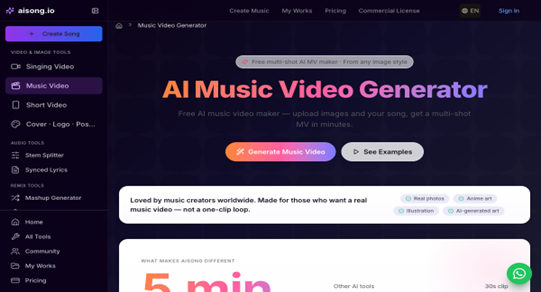
Best for: Independent musicians who want to explore a complete visual sequence using their finished track and reference images.
A first single often starts with an existing visual idea, such as album artwork, a collection of photographs, or a particular atmosphere associated with the lyrics. AISong is worth exploring when you want to turn these visual references into a music video rather than build every scene manually.
If you want to explore another approach, the AI Music Video Generator from AISong is also worth considering for developing visuals around your track.
How to Test AISong for Your First Single
Begin with a short excerpt from the finished track, preferably a chorus or another recognizable section. Choose three related images that reflect the song's intended mood and use them to guide your initial visual experiment.
Review the result for three things:- Do the visuals match the emotion and tempo of the music?
- Do the generated shots feel like parts of the same video?
- Does the imagery remain recognizable as it moves between scenes?
If the visuals feel disconnected, refine the image references or simplify the concept before generating a longer sequence.
When AISong Makes Sense
AISong is a potential starting point when you already have a visual direction but want to discover whether it can sustain a multi-shot video. Check the current generation credits, export resolution, and licensing terms before planning a commercial release.
2. MakeSong: Develop a Cohesive Music Video Around Your Track
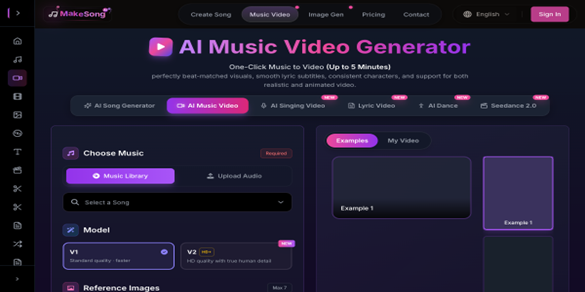
Best for: Artists who want to explore a broader music video concept using audio, visual references, and creative prompts.
A collection of attractive AI-generated clips does not automatically make a successful music video. The shots need to support the same creative idea, even when the song moves from a quiet verse to a more energetic chorus.
MakeSong is worth considering for artists who want to experiment with a broader visual-production workflow. Depending on the available features, this may involve combining
How to Test MakeSong
Choose one memorable moment from your song, such as the opening vocal line, the first chorus, or a dramatic instrumental transition.
Then establish a simple visual brief that includes:- The intended mood and genre.
- The main colors and visual style.
- The subject or character, if there is one.
- The type of movement and atmosphere that fits the music.
Generate a short sequence and compare it with your cover artwork and other release materials. If the video feels unrelated to the artist's identity, adjust the references before extending the concept.
When MakeSong Makes Sense
MakeSong is a candidate for artists who want to explore a complete music video direction rather than produce a single animated image. Its suitability depends on how well its current tools support your intended scenes and the level of control you need.
3. Hedra: Create a Singing Character From a Portrait
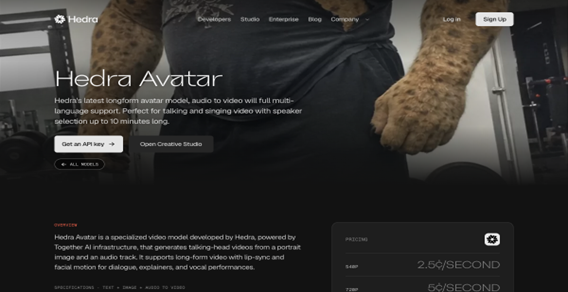
Best for: Vocal-driven singles that need a digital performer but do not have filmed performance footage.
Some songs depend on the singer's presence. Facial expression, mouth movement, and the emotional delivery of a line can be just as important as the background visuals.
Hedra is relevant to this type of project because its character-generation workflow can animate a character using an image and audio. This opens up possibilities for artists who want to experiment with a virtual singer, an illustrated persona, or a character-based performance.
How to Test Hedra
Select a clean vocal excerpt and a clear, front-facing portrait of your intended character. A recognizable face and an uncluttered image can make the initial test easier to evaluate.
Pay attention to:- Lip synchronization during fast lyrics.
- Facial expressions during sustained notes.
- Changes in the character's appearance or facial proportions.
- Whether the performance matches the song's emotional tone.
A short chorus test is often enough to identify obvious problems before generating additional footage.
When Hedra Makes Sense
Hedra is worth testing when a single performer or character is central to the video's concept. It is less suited to a project that primarily needs abstract animation, landscapes, or a sequence of unrelated cinematic scenes.
For commercial use, review the current plan limitations and applicable rights for generated content and uploaded assets.
4. HeyGen: Explore a Consistent Digital Singer
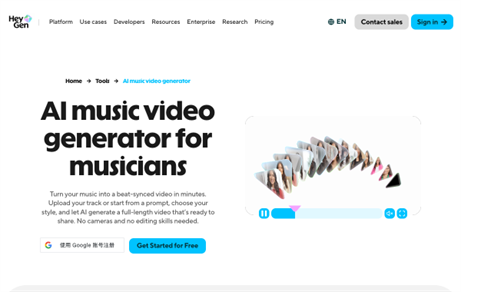
Best for: Artists who want to test a performer-led concept built around a recognizable digital person.
When a music video follows the same singer throughout the verse and chorus, continuity becomes important. The face, clothing, and overall presentation should feel consistent enough that viewers recognize the performer from one shot to the next.
HeyGen is known for AI avatar and talking-video workflows. Its relevance to music videos depends on the current availability and suitability of its audio-driven performance features. Artists should verify that the tool supports their intended singing workflow rather than assuming that ordinary avatar lip-syncing will produce a convincing musical performance.
How to Test HeyGen
Start with a short vocal passage and a clearly defined performer concept. If your project requires a particular appearance, establish that identity before creating additional scenes.
Evaluate the result for:- Synchronization between the mouth and the recorded vocals.
- Consistency in facial features and appearance.
- Natural-looking movement and expressions.
- Whether the result suits the genre and mood of the song.
Do not judge the workflow only by how realistic the avatar looks in a still frame. The real test is how it performs while the music is playing.
When HeyGen Makes Sense
HeyGen may be useful when a digital presenter or recognizable avatar is part of the intended concept. However, verify its current capabilities for singing, musical timing, and scene continuity before choosing it as the foundation of a full music video.
If a realistic singing performance is essential, compare a short sample with the output from a tool designed specifically for character animation or music-video generation.
5. PlazmaPunk: Turn the Mood of a Song Into Visual Art
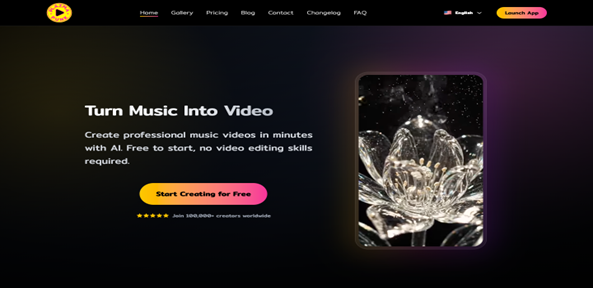
Best for: Electronic, ambient, experimental, and other tracks that can work without a visible singer.
Not every music video needs a person on screen. Some songs communicate their identity through color, texture, movement, lighting, and atmosphere.
PlazmaPunk is an option to explore when the visual concept is driven by the music itself. Its music-visualization approach can help artists investigate how an artistic style might develop across different sections of a track.
How to Test PlazmaPunk
Choose two contrasting sections of your single: a quieter verse and a more energetic chorus, for example.
Create a visual direction that connects both sections. You might use a consistent color palette, recurring shapes, a particular environment, or a recognizable artistic treatment.
Then ask:- Does the visual intensity change appropriately with the music?
- Does the artistic style remain recognizable between sections?
- Can the concept sustain a longer video without becoming repetitive?
If the result only works during one dramatic moment, simplify the visual direction or introduce a recurring element that connects the scenes.
When PlazmaPunk Makes Sense
PlazmaPunk is worth exploring when atmosphere matters more than a realistic performer. It may suit artists who want a stylized visual experience, especially when the song's identity is already clear but the video concept is not.
Check the current input formats, generation options, export quality, and commercial-use terms before committing to a final version.
AI Music Video Tools Compared
The most useful comparison is not which tool produces the most impressive isolated image. It is which workflow addresses the specific needs of your song.
| Tool | Main workflow to explore | Best starting experiment |
|---|---|---|
| AISong | Image-guided, multi-shot video | Test three related images with a chorus |
| MakeSong | Broader music video production | Develop one visual concept around a memorable song section |
| Hedra | Audio-driven character animation | Test a portrait against a clean vocal excerpt |
| HeyGen | Avatar-based video and performer concepts | Verify singing support and test performer continuity |
| PlazmaPunk | Art-driven music visualization | Compare the visuals for a verse and chorus |
Features and availability can change, so use this table as a workflow comparison rather than a guarantee that every tool currently supports every feature.
How to Choose the Right Workflow for Your First Release
Before generating a full video, identify the biggest unanswered question about your creative direction.
If you already have cover art or reference images: Start by testing an image-guided or broader multi-scene workflow with AISong or MakeSong.
If the singer needs to be visible: Test a short performance with Hedra, or investigate HeyGen's current capabilities if its avatar workflow fits your concept.
If the song relies on atmosphere rather than performance: Explore PlazmaPunk and compare the visual treatment across different musical sections.
If you are working with a limited budget: Begin with a short excerpt and check the current free-tier terms, credits, watermark restrictions, and export options before paying for a full render.
Whichever route you choose, use the same approved audio excerpt when comparing tools. That makes it easier to evaluate their visual output without confusing differences in the music with differences in the generated video.
A Practical Pre-Release Workflow
You do not need to create a full music video before deciding whether your concept works. A small test can help you make that decision with less wasted effort.
- Finalize the audio. Use the version of the track you intend to release, or a representative excerpt if the master is not ready.
- Write a one-sentence visual brief. Describe the intended mood, subject, and visual style.
- Choose one workflow. Select an image-led, performer-led, or art-driven approach based on the song's needs.
- Generate a short sample. Test the chorus or another distinctive section before committing to a longer render.
- Review continuity and quality. Check visual consistency, musical timing, artifacts, and whether the result matches your artist identity.
- Confirm publication requirements. Verify commercial-use permissions, export quality, licensing restrictions, and any disclosure requirements that apply to your release.
Once the concept works, expand it into a full-length video or create shorter versions for promotional channels. Keep the same visual identity across the assets so the campaign feels connected.
Final Verdict: Start With the Song, Not the Tool
The right AI music video workflow depends on what your first single needs to communicate.
AISong and MakeSong are options to investigate for image-guided or broader music-video concepts. Hedra is relevant when a singing character is central to the idea, while HeyGen warrants a closer look when an avatar-led workflow is appropriate. PlazmaPunk is a potential fit for music that benefits from artistic, atmosphere-driven visuals.
Rather than generating several complete videos, test one short section, identify what works, and refine the direction before investing in a full production.
Your first release does not need every possible visual format. It needs one clear visual identity that helps listeners connect the music with the artist behind it.
Editorial note: AI video features, pricing, generation credits, licensing terms, and commercial-use permissions may change. Confirm the latest information on each provider's official website before using generated material in a commercial release.